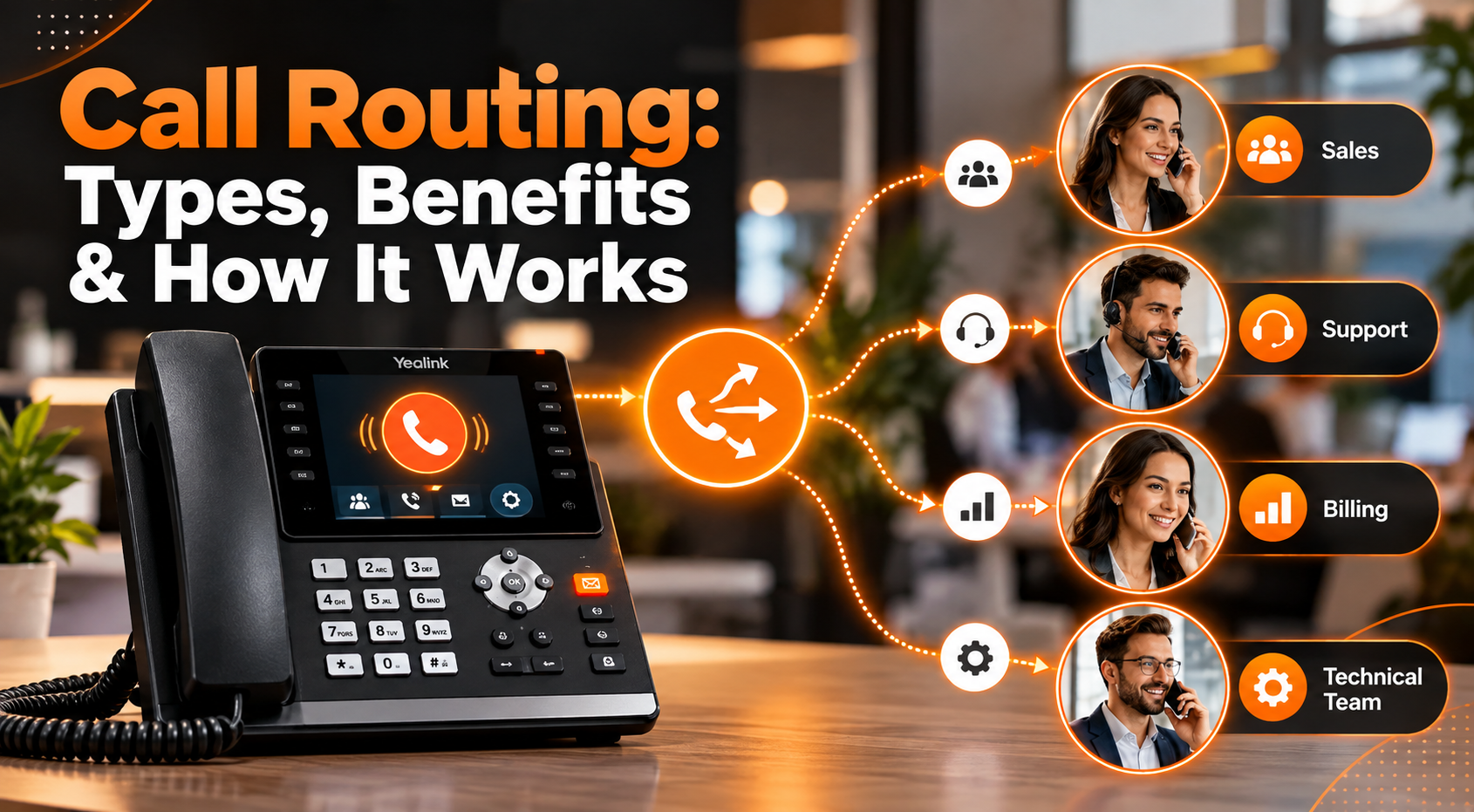
Call routing is an automated process that directs incoming business calls to the right person, department, queue, or device based on predefined rules. Instead of relying on a receptionist to manually transfer every caller, a phone system can identify what the caller needs and determine the most appropriate destination automatically.
Businesses can route calls based on working hours, agent availability, caller location, language, department, skills, or customer information. The result is a smoother experience for callers and more efficient use of your team.
Modern call routing software is useful for more than large contact centers. Small businesses, distributed teams, sales departments, healthcare practices, professional services firms, and multi-location organizations can all use automated routing to reduce missed calls and unnecessary transfers.
What Is Call Routing?
Call routing is the process of automatically directing incoming phone calls to the most appropriate destination according to a set of predefined rules.
The destination might be:
- An individual employee
- A sales or support department
- A call queue
- A specific office or location
- A mobile or remote employee
- Voicemail
- An automated answering system
For example, a customer who selects « technical support » from an Interactive Voice Response (IVR) menu can be sent directly to a support queue rather than speaking with reception first.
Phone call routing can also happen without caller input. The system may use the caller’s phone number, business hours, agent availability, location, CRM information, or other criteria to determine where the call should go. This makes routing especially valuable for businesses receiving calls across multiple teams, locations, or time zones.
How Does Call Routing Work?
A typical call routing process can be divided into four stages.
1. The System Identifies the Call
When an inbound call arrives, the phone system collects available information about it.
This may include:
- The number being called
- Caller ID
- Time and day
- Caller location
- Existing customer information
- Previous interactions
If your phone system is integrated with a CRM, existing customer data can also help determine how the call should be handled.
2. The Caller Is Qualified
An auto-attendant or IVR can ask callers what they need and guide them to the appropriate destination. For example, callers may be prompted to press 1 for sales, 2 for customer support, or 3 for billing. Based on their selection, the system identifies the caller’s intent and chooses the appropriate routing path.
More advanced call routing systems can also combine IVR responses with customer records, language preferences, agent skills, availability, and other data to connect callers with the most suitable person or department.
3. Routing Rules Are Applied
The phone system evaluates the information against your configured rules.
For example, a company could create a rule that sends:
- New sales inquiries to the sales team
- Existing customers to account support
- French-speaking callers to bilingual employees
- Calls after 5 p.m. to an after-hours team
- High-value accounts to a priority queue
The system then determines which destination is eligible to receive the call.
4. The Call Is Distributed
Finally, the call is connected to the appropriate employee, team, queue, device, or alternative destination. If the first destination is unavailable, additional rules can redirect the caller to another employee, mobile device, office, voicemail box, or callback option.
The entire process can happen within seconds.
What Are the Main Types of Call Routing?
There is no single routing strategy that works for every business. Most organizations combine several methods depending on their teams and call volumes.
1. Sequential Routing
Sequential, or fixed-order, routing sends incoming calls through a predefined list of employees in a specific sequence. For example, a call may first go to Sales Rep A, then move to Sales Rep B, and finally to Sales Rep C if the previous person does not answer.
This approach is useful when certain employees should receive calls before others, such as senior representatives, account owners, or team leads.
2. Round-Robin Routing
Round-robin routing rotates incoming calls between available employees.
If Agent A receives the first call, Agent B receives the next, followed by Agent C. The sequence then starts again.
This method helps distribute calls more evenly across a team.
3. Simultaneous Routing
Simultaneous routing rings several phones or devices at the same time. The first available person to answer receives the call. It can be useful for small sales or service teams where answering quickly is more important than directing the call to a particular employee.
4. Skills-Based Routing
Skills-based routing connects callers with employees who have the expertise required to handle their inquiry.
Rules may consider:
- Product knowledge
- Technical expertise
- Language
- Certifications
- Department
- Customer type
For example, a Spanish-speaking customer with a technical problem could be routed directly to an available Spanish-speaking technical support representative.
5. Time-Based Routing
Time-based rules determine where calls go based on the hour, day, holiday schedule, or business opening times.
A business might send calls to its New York office during the day and another location after the New York team finishes work.
It can also automatically direct after-hours calls to voicemail, an answering service, or an available remote team.
6. Geographic Routing
Geographic routing directs callers according to their location. A multi-location company could route customers to their closest branch, while an international business could send callers to a team serving their specific country or region.
7. Priority Routing
Priority routing moves selected callers ahead of standard calls according to predefined business rules. An organization might prioritize urgent requests, important accounts, existing customers, or high-value sales opportunities.
8. Find Me/Follow Me Routing
This type of routing allows calls to follow employees across different devices and locations. For example, an incoming call may first ring a desk phone, then move to a mobile phone, another team member, and finally voicemail if no one is available.
It is especially useful for remote employees, field staff, real estate agents, and teams that frequently work away from a fixed desk.
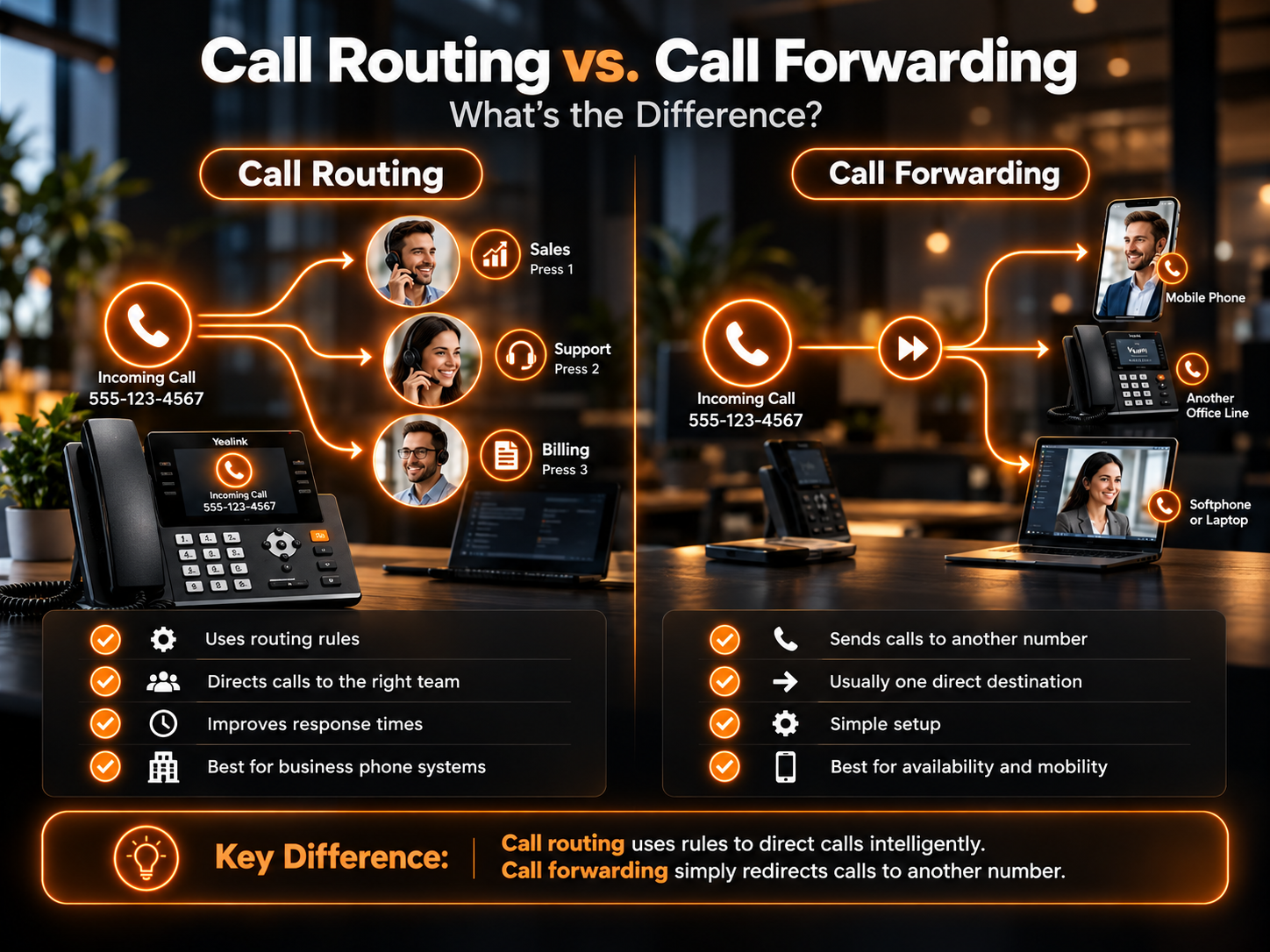
Call Routing vs. Call Forwarding: What’s the Difference?
Although both features redirect calls, they serve different purposes.
| Feature | Call Routing | Call Forwarding |
| Main purpose | Selects the best destination using rules | Redirects calls to another number |
| Decision making | Can use multiple conditions | Usually follows a simple forwarding rule |
| Destinations | Agents, queues, departments, locations or devices | Usually another phone number or device |
| IVR integration | Yes | Usually not required |
| Skills-based distribution | Possible | No |
| Time-based rules | Possible | Basic scheduling may be available |
| Best suited for | Business-wide call management | Simple call redirection |
In simple terms, call forwarding redirects a call, while call routing determines where the call should go.
What Are the Benefits of Call Routing?
A well-designed routing strategy can improve both customer experience and internal efficiency.
Reduce Caller Wait Times
Automatically connecting customers to an appropriate available employee reduces unnecessary holding and manual transfers. This can be particularly important for high-volume sales and customer service teams.
Reduce Missed Calls
Calls do not have to depend on one person being available. If an employee cannot answer, routing rules can move the caller to another team member, queue, mobile device, or alternative destination.
Improve First-Call Resolution
Customers are more likely to resolve their issue during the first conversation when they reach someone with the right expertise.
Skills-based and department-based routing are particularly useful for reducing unnecessary transfers.
Balance Employee Workloads
Round-robin and availability-based routing prevent the same employees from receiving every call while others remain underused. A more balanced distribution can make busy periods easier to manage.
Support Remote and Multi-Location Teams
Virtual call routing allows calls to reach employees regardless of whether they work from headquarters, another office, home, or a mobile device. Businesses can therefore maintain one professional phone presence while employees work from different locations.
Create a More Consistent Customer Experience
Customers should not need to understand your organizational structure to find the right person.
Effective routing creates a predictable path from the initial call to the employee capable of helping them.
How to Create an Effective Call Routing Strategy?
Start by mapping why customers call your business and where each type of inquiry should go.
Keep the initial IVR menu simple. Too many choices can slow callers down instead of helping them.
Next, define rules for situations such as:
- Business hours: Decide what happens before opening, after closing, on weekends, and during holidays.
- Busy periods: Create overflow rules so unanswered calls move to another available person or queue.
- Specialized inquiries: Route technical, billing, sales, and other specialist requests to employees with the right knowledge.
- Remote employees: Decide which devices should ring and in what order.
- Multiple locations: Determine whether calls should be distributed geographically or through a centralized team.
What Should You Look for in Call Routing Software?
The best solution depends on your organization, but effective call routing software should make routing rules easy to configure and update as your business changes.
Useful capabilities include IVR menus, automatic call distribution, queues, skills-based rules, time-of-day routing, geographic routing, mobile and desktop support, CRM integration, voicemail, analytics, and failover options.
Cloud-based systems are particularly useful for businesses with remote employees or multiple offices because calls are not tied to a single physical phone system.
The goal is not to build the most complicated routing structure possible. It is to create the shortest reliable path between each caller and the person who can help them.
How VoxSun Supports Smarter Business Call Routing?
VoxSun combines business communications, IVR, queues, automatic call distribution, and advanced routing capabilities within its cloud phone platform.
Businesses can build routing flows around factors such as departments, agent skills, geography, business hours, customer information, and employee availability. Teams can also receive business calls across desk phones, computers, and mobile devices.
For contact centers and growing organizations, routing can work alongside call analytics, CRM integrations, queue management, and automated workflows so businesses can continually improve how calls are handled.
The result is a phone system designed to help incoming calls reach the right destination with fewer unnecessary transfers and less manual intervention.
Frequently Asked Questions About Call Routing
What is virtual call routing?
Virtual call routing uses a cloud-based phone system to direct calls without requiring employees to be connected to one physical office phone system. Calls can be routed to desk phones, computers, mobile devices, remote employees, or different business locations.
Is call routing the same as an IVR?
No. An IVR collects information from callers through spoken or keypad selections. Call routing uses that information, along with other rules, to determine where the call should be sent. IVR is therefore one component that can support a broader routing strategy.
Can small businesses use call routing?
Yes. Small businesses can use routing to send calls to sales, support, mobile employees, or voicemail without hiring someone to manually answer and transfer every call. Even a simple IVR and after-hours routing setup can make call handling more efficient.
Can calls be routed after business hours?
Yes. Time-based rules can automatically change call destinations outside normal operating hours. Calls might be sent to an after-hours employee, another office, an AI answering system, or voicemail depending on how the business configures its phone system.
Laisser un commentaire