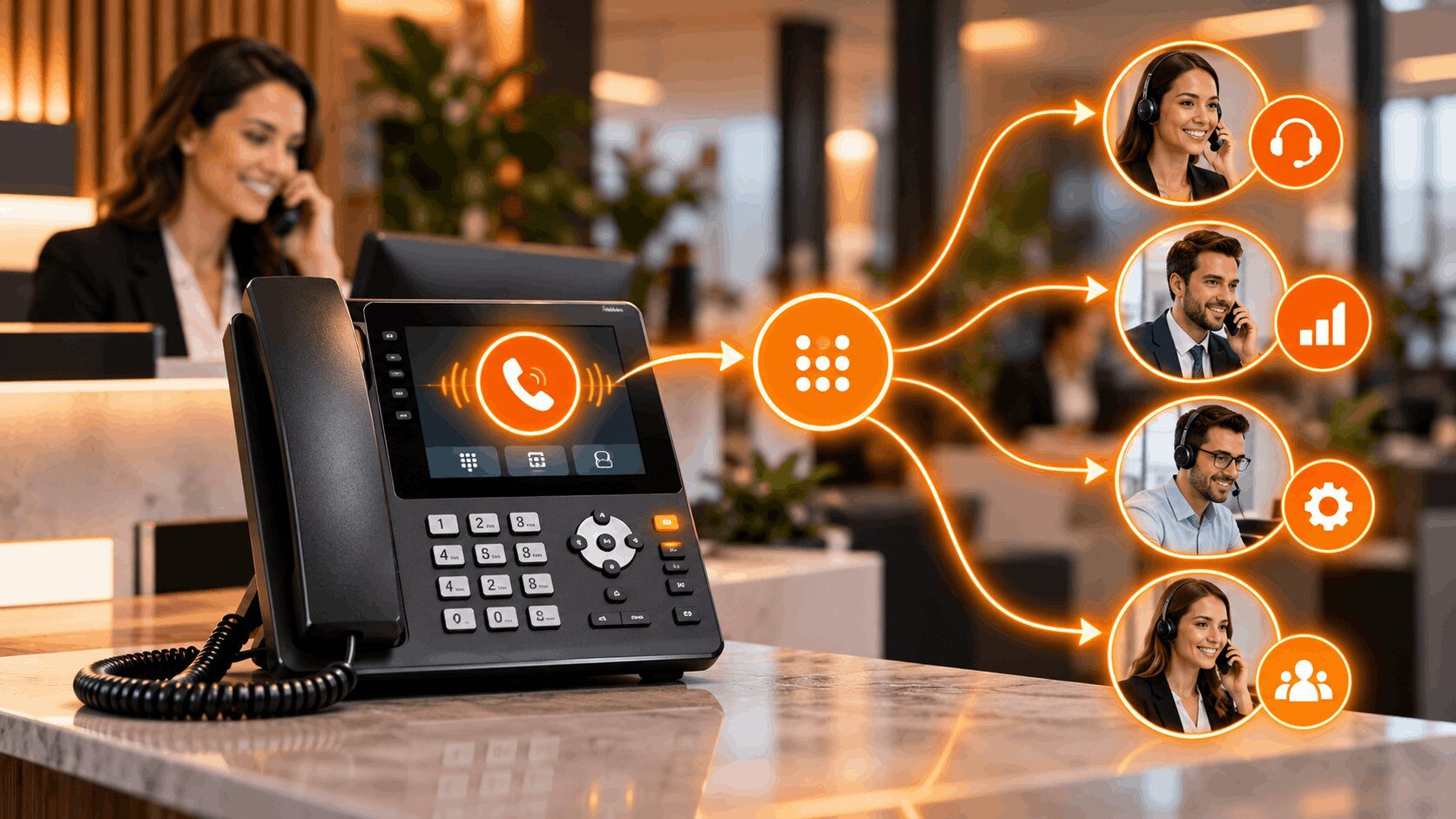
When customers call a business, they usually want to reach the right person quickly without being transferred from one employee to another. An auto attendant helps make that possible.
An auto attendant is an automated phone system that answers incoming calls and directs callers to the appropriate department, extension, queue, or voicemail using a predefined menu. It acts as a digital receptionist, helping businesses organize inbound calls without requiring an employee to manually answer and transfer every call.
In this post, we’ll explore what an auto attendant is, how it works, and how it helps streamline business call handling.
What Is an Auto Attendant?
An auto attendant is an automated call-handling feature that greets callers and presents them with options for reaching the right destination.
You have probably interacted with one many times.
A typical greeting might say:
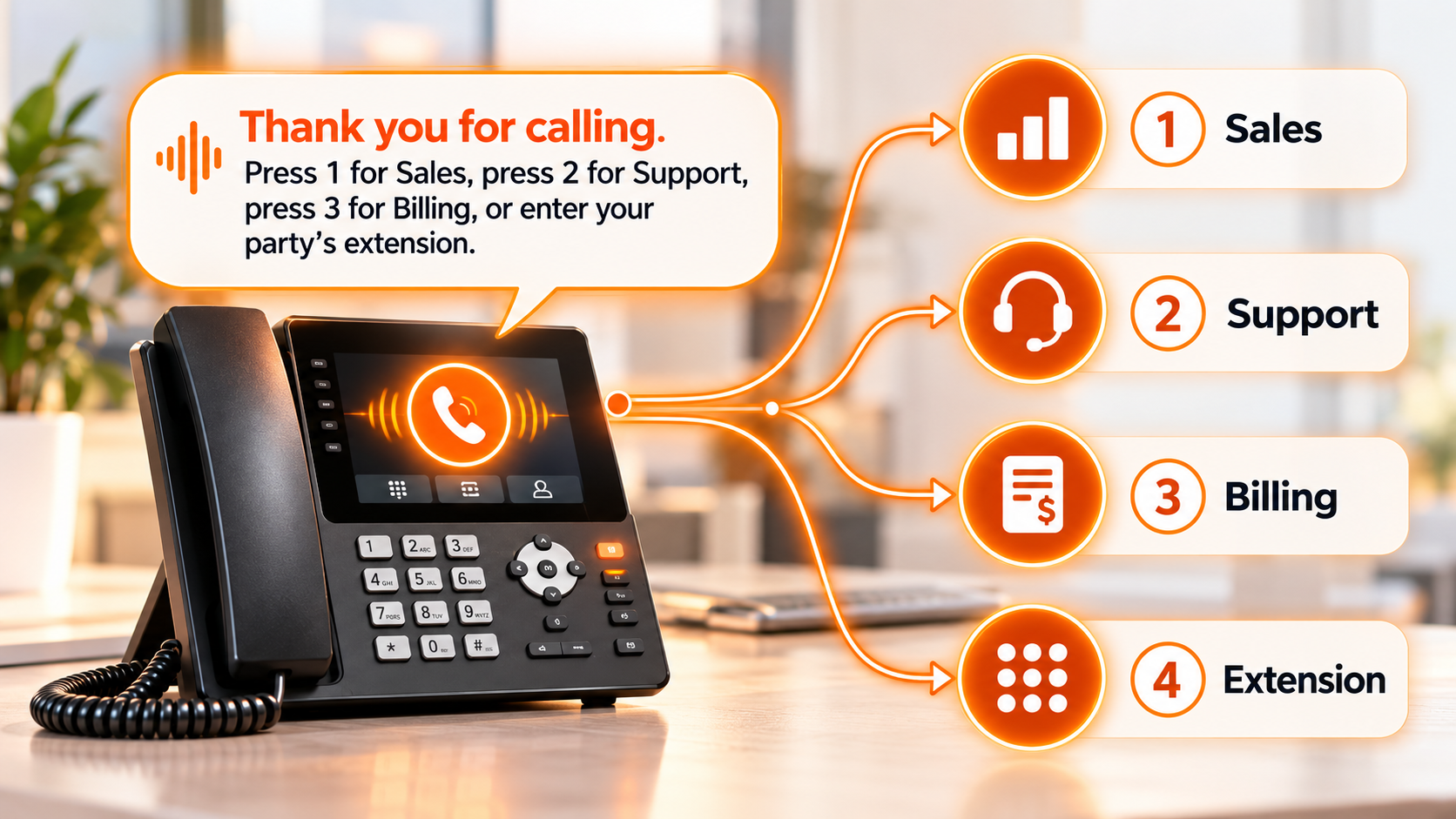
Once the caller makes a selection, the system follows predefined routing rules and transfers the call to the appropriate department, extension, call queue, mobile number, or voicemail box.
Auto attendants are commonly included in modern business phone platforms and are sometimes referred to as:
- Virtual receptionists
- Automated receptionists
- Phone menus
- Call trees
- Automated answering systems
They are particularly useful for organizations that receive calls for multiple employees, departments, or locations.
How Does an Auto Attendant Work?
An auto attendant follows a structured call flow created by the business administrator.
The basic process usually works like this:
- A customer calls the company’s main phone number.
- The auto attendant answers the call.
- A recorded greeting provides menu options.
- The caller selects an option using their keypad or, depending on the system, voice input.
- The system matches that selection with a routing rule.
- The call is sent to a department, extension, queue, voicemail box, or another destination.
For example, someone selecting “Sales” may be transferred to a sales ring group, while someone choosing “Support” may enter a customer service queue.
Modern business phone system platforms can combine auto attendants with extensions, IVR, call routing, voicemail, analytics, and other communication features within the same system.
Key Features of an Auto Attendant
Although features vary between providers, most modern auto attendant systems include several core capabilities.
Custom Greetings
Businesses can create recorded greetings that welcome callers and explain the available options.
Greetings can also communicate temporary information such as holiday schedules, service interruptions, or changes in opening hours.
Department and Extension Routing
Calls can be transferred directly to individual employees or departments such as:
- Sales
- Support
- Billing
- Human Resources
- Reception
This reduces the number of manual transfers required.
Multi-Level Menus
A multi-level auto attendant allows businesses to create submenus.
For example:
Press 1 for Sales
Then:
- Press 1 for new customers
- Press 2 for existing customers
- Press 3 for account management
Multi-level menus are useful for larger organizations, although they should remain simple enough that callers do not become frustrated.
Call Queues
If several callers need the same department, calls can be placed into a queue until an available employee answers.
Business Hours Routing
Different call flows can automatically activate according to office hours, weekends, or holidays.
Voicemail and Call Forwarding
If nobody is available, calls can be sent to voicemail or forwarded to another extension, mobile number, or external line.
Multi-Location Routing
Companies with several offices can use one main number while routing callers to different locations based on menu selections or other rules.
What Is a Virtual Auto Attendant?
A virtual auto attendant is a cloud-based version of an automated receptionist that operates through a hosted or VoIP phone system.
Instead of relying on telephone equipment installed entirely inside one office, the call-routing logic is managed through cloud infrastructure.
Administrators can usually configure call menus, extensions, business hours, and routing rules through an online dashboard.
A virtual auto attendant can be useful for businesses with:
- Remote employees
- Hybrid teams
- Multiple offices
- Mobile employees
- Distributed customer service teams
Because routing is not tied to a single physical office, calls can be sent to employees wherever they are configured to receive business calls.
What Are the Benefits of an Auto Attendant?
Understanding what auto attendant technology is easier when you look at the operational problems it solves.
Faster Call Routing
Callers can select the department they need instead of waiting for someone to answer and manually transfer them. This can shorten the path between the initial call and the appropriate employee.
Less Routine Work for Employees
Receptionists and other employees do not need to spend as much time answering calls that simply need to be redirected. They can focus on conversations that actually require human assistance.
Consistent Call Handling
Every caller receives the same structured greeting and routing options. This helps businesses maintain a consistent phone experience regardless of call volume.
Better After-Hours Coverage
An auto attendant can continue answering calls when employees are unavailable. It can provide opening hours, route urgent calls, offer voicemail, or direct callers to alternative contact options.
Easier Scaling
Adding a new employee or department does not necessarily require redesigning the entire phone system. Businesses can update routing rules and menu options as the organization changes.
A More Organized Caller Experience
A clear phone menu gives callers an immediate understanding of where they should go. The benefit depends heavily on how well the menu is designed. A complicated phone tree can create frustration instead of reducing it.
Auto Attendant vs IVR
Auto attendants and Interactive Voice Response systems are related, but they are not exactly the same.
| Auto Attendant | IVR |
| Primarily routes calls | Handles more complex interactions |
| Uses menu selections | Can collect caller information |
| Connects callers to destinations | Can complete automated tasks |
| Best for straightforward navigation | Better suited to advanced self-service |
An auto attendant might say:
“Press 1 for Billing.”
An IVR system might ask:
“Enter your account number to hear your current balance.”
The auto attendant primarily determines where the call should go. IVR can interact with databases or applications to complete more advanced tasks.
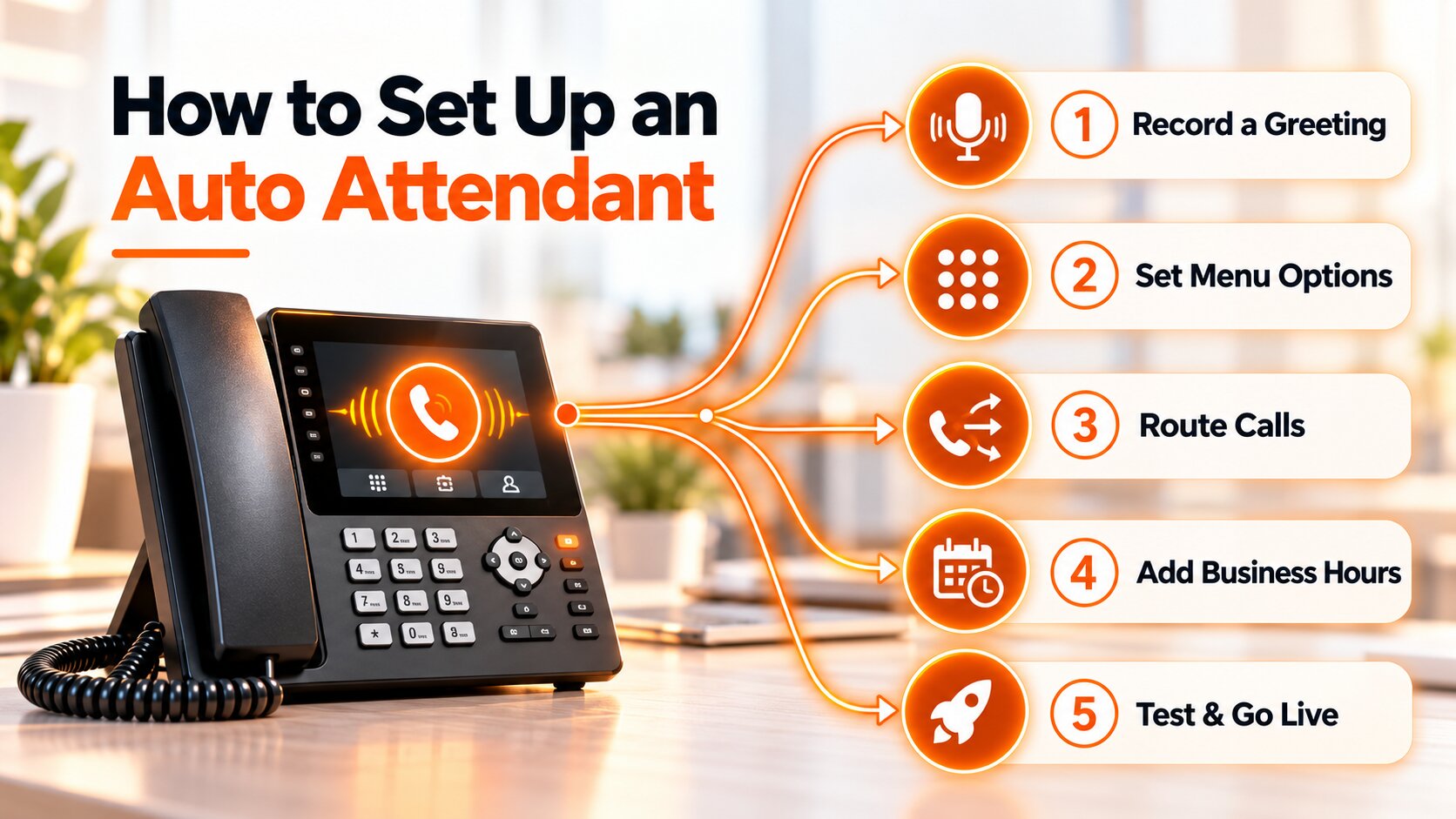
How to Set Up an Auto Attendant?
A good auto attendant starts with understanding why customers call your business.
1.Identify Common Call Reasons
Review the most frequent reasons people contact you.
Typical categories include:
- Sales
- Customer support
- Billing
- Appointments
- Account management
These should guide your main menu.
2.Map Your Call Flow
Decide where each option should lead. Think through what happens if the selected employee or department does not answer.
3. Keep the Main Menu Simple
Avoid giving callers too many choices at once. Start with the most important departments and use submenus only where necessary.
4. Write Clear Greetings
Use short, direct instructions. Instead of lengthy explanations, tell callers exactly what each option does.
5. Configure Business Hours
Create separate routing for normal hours, evenings, weekends, and holidays.
6. Add Failover Rules
Decide where calls should go if nobody answers. Possible destinations include:
- Another employee
- Another department
- A call queue
- Voicemail
- An external number
7. Test Every Call Path
Call the system as if you were a customer. Test every menu option, extension, voicemail destination, after-hours route, and backup rule.
Best Practices for Auto Attendant
A technically working auto attendant can still create a poor caller experience if the menu is badly designed.
Follow these principles:
- Keep menus short.
- Prioritize common departments.
- Use clear, simple language.
- Avoid long greetings.
- Offer a human option.
- Remove outdated extensions.
- Update routing after team changes.
- Set after-hours rules.
- Test the system regularly.
The goal is not to automate every interaction. It is to make it easier for callers to reach the right destination.
Common Auto Attendant Mistakes
- Too Many Menu Options: Long menus force callers to remember too much information.
- Long Greetings: Callers usually want to reach someone, not listen to an extended introduction.
- Outdated Extensions: Sending people to employees who have changed roles or left the company creates unnecessary frustration.
- No After-Hours Routing: A daytime call flow should not continue sending calls to empty offices at night.
- Too Many Menu Levels: Requiring callers to navigate several submenus can make a phone system difficult to use.
- No Backup Destination: Every call path should have a clear outcome when the primary destination does not answer.
How AI Changes the Traditional Auto Attendant?
Traditional auto attendants follow predefined rules. A caller chooses an option, and the system follows the programmed path.
AI-based voice technology can extend this model by supporting more conversational interactions. Instead of requiring every caller to navigate fixed menu options, an AI system may be able to understand what someone is asking and determine an appropriate action.
For example, an AI voice system could potentially answer questions, qualify a caller, schedule an appointment, transfer the conversation, or update connected business software.
VoxSun’s AI Voice Agents, for example, are designed to qualify opportunities, book appointments, and update connected CRM systems.
AI does not make the traditional auto attendant irrelevant. Businesses may use both depending on the complexity of the call and the customer journey.
Is an Auto Attendant Right for Your Business?
An auto attendant is particularly useful when manually answering and redirecting every inbound call becomes inefficient.
It may be a good fit if your organization:
- Receives frequent incoming calls
- Has multiple departments
- Operates across several locations
- Uses remote or hybrid teams
- Needs after-hours call handling
- Wants to reduce manual call transfers
Small businesses can benefit from a simple menu, while larger organizations may require multi-level routing, queues, business-hour rules, and advanced integrations.
The most effective system is not necessarily the one with the most menu options. It is the one that helps callers reach the right destination with the fewest unnecessary steps.
Frequently Asked Questions
Can an auto attendant route calls after business hours?
Yes. Auto attendants can use schedules to activate different greetings and routing rules during evenings, weekends, holidays, or other periods when the office is closed.
Can an auto attendant transfer calls to mobile phones?
Many cloud-based systems can forward calls to mobile phones or external numbers when configured to do so. Available routing options depend on the phone provider and system setup.
Do cloud phone systems include auto attendant features?
Many cloud business phone systems include auto attendant functionality, although the available features vary. Businesses should compare capabilities such as multi-level menus, business-hour routing, voicemail, queues, mobile forwarding, CRM integrations, analytics, and administrative controls before choosing a system.
What is the difference between an auto attendant and live receptionist?
An auto attendant uses predefined call-routing rules to direct callers to the right department, extension, or voicemail, making it ideal for routine and after-hours call handling.
A live receptionist provides a more personal experience and can respond to complex or unexpected requests using human judgment.
Many businesses use both, with the auto attendant handling basic routing and a receptionist stepping in when callers need personalized assistance.
Laisser un commentaire